


Cloudavize's managed IT focus makes it a relevant choice when you want an outside team handling business technology support. The ceiling comes when your requirements demand a different division of responsibility or more explicit service commitments than your current agreement provides. The best Cloudavize alternative in 2026 is DivergeIT for growing businesses seeking managed IT, cybersecurity and compliance services; co-managed IT is the better approach when you want to retain an internal technology lead.
TL;DR
- Compare Cloudavize alternatives by support commitments, security ownership and transition responsibilities—not service lists alone.
- DivergeIT provides managed IT services, cybersecurity and compliance support for growing small and mid-sized businesses.
- Choose co-managed IT when your internal team needs additional operational support without giving up technology ownership.
- Keep Cloudavize if its actual delivery and written agreement meet your business requirements.
Why this matters
Switching IT providers changes who receives incident alerts, controls administrative access and restores business systems. A service comparison that ignores those responsibilities leaves the hardest questions unanswered.
Your 2026 shortlist should distinguish between a provider problem and an operating-model problem. Slow escalation requires a different fix from an understaffed internal team, and neither automatically requires replacing every technology you use.
This comparison covers one named provider alternative and two staffing approaches. They are different purchasing decisions: a managed service relationship, a shared-responsibility arrangement and an internal department.
Cloudavize alternatives at a glance
Cloudavize
- Best for: Businesses evaluating an outsourced managed IT relationship
- Main distinction: Managed IT provider
- Difference to evaluate against Cloudavize: Use your existing or proposed agreement as the baseline
DivergeIT
- Best for: Growing businesses seeking managed IT, cybersecurity and compliance services
- Main distinction: Services spanning IT operations, security, compliance and AI solutions
- Difference to evaluate against Cloudavize: Compare written support commitments and assigned responsibilities
Co-managed IT
- Best for: Businesses with an internal technology lead who needs operational support
- Main distinction: Shared work between employees and an external provider
- Difference to evaluate against Cloudavize: Changes the responsibility split rather than simply replacing a supplier
In-house IT
- Best for: Businesses that need direct employee ownership of technology operations
- Main distinction: Internal staffing and management
- Difference to evaluate against Cloudavize: Moves staffing, coverage and delivery accountability inside the business
Choose the operating model before choosing the supplier. Otherwise, you risk replacing a provider while preserving the same unclear responsibilities.
1. DivergeIT: best for connected IT and security services
DivergeIT provides managed IT services, cybersecurity, compliance and AI solutions for growing small and mid-sized businesses. Its stated customer industries include finance, healthcare, legal and entertainment. That service scope makes it a relevant alternative when your requirements extend beyond resolving support tickets.
Start with the business problem, then match the offering. Managed IT services are branded ManageIT, cybersecurity services SecureIT, and compliance services ComplyIT; a program name is not a substitute for an agreed scope.
Where DivergeIT shines
- Connected service categories: You can evaluate IT operations, cybersecurity and compliance within the same provider discussion.
- Relevant customer focus: The stated audience is growing small and mid-sized businesses, including firms handling sensitive client information.
- Concrete support language: Published brand commitments include a 15-minute response in writing and a live expert in 5 minutes. Ask how each applies to your proposed agreement.
Response and resolution are different. A fast acknowledgement does not establish when a failed application will work again, so your contract discussion must cover escalation and restoration separately.
Where the managed-service approach falls short
- Your business still needs someone who approves access, priorities and technology decisions.
- A broad service portfolio does not establish which tasks are included in your agreement.
- Outsourced support does not replace business leadership's responsibility for compliance decisions or risk acceptance.
These are practical limits of buying managed services, not reasons to reject them. They matter most when you expect a provider to take over decisions that only your business can authorize.
Best for: Growing businesses seeking managed IT services alongside cybersecurity and compliance support.
Verdict: Buy only when the written scope, escalation process and responsibility split match your requirements.
2. Co-managed IT: best for keeping your internal IT lead
Co-managed IT divides work between your employees and an outside provider. Your internal team retains defined responsibilities while the provider handles an agreed portion of support, administration or specialist work.
This is an operating model, not a specific vendor recommendation. Use it when your internal team understands the business but needs additional delivery capacity or expertise.
Where co-managed IT shines
- Internal context stays close: Your employee remains available to explain workflows, dependencies and business priorities.
- Work can be divided explicitly: You can assign routine support externally while keeping architecture or application ownership internally.
- Specialist work has a place: Security reviews or compliance-related technical tasks can sit outside the internal team's daily workload.
Where co-managed IT falls short
- Shared ownership creates confusion unless the handoffs are documented.
- Your internal lead still needs time to manage the relationship.
- Separate teams need an agreed system for tickets, changes and incident records.
Daily ownership
- Co-managed IT: Split between employees and provider
- Outsourced provider relationship: Defined through the provider's service agreement
Internal staffing
- Co-managed IT: Requires a capable internal owner
- Outsourced provider relationship: Still requires a business decision-maker
Escalation
- Co-managed IT: Must cross an internal-external boundary
- Outsourced provider relationship: Must identify provider escalation and client approvals
Main evaluation question
- Co-managed IT: Who owns each handoff?
- Outsourced provider relationship: What work does the agreement include?
When comparing this model with Cloudavize, ask whether the proposed arrangement supports your preferred responsibility split. Do not assume that a provider's standard agreement already reflects it.
Best for: Businesses with an internal technology lead who needs support rather than replacement.
Verdict: Buy when you can assign ownership clearly; skip when nobody internally can manage the shared workload.
3. In-house IT: best for direct operational ownership
An in-house IT team puts technology delivery under your own management. Employees can develop detailed knowledge of your applications, approval processes and internal dependencies.
The trade-off is equally direct: your business owns recruitment, supervision, absence cover and specialist development. Hiring an IT employee does not automatically create a complete support function.
Where in-house IT shines
- Employees can work directly with department leaders on recurring operational problems.
- Your business controls priorities and staffing decisions.
- Internal knowledge can inform application changes and technology planning.
Where in-house IT falls short
- Coverage depends on the people and backup arrangements you establish.
- Specialist security or compliance work still needs appropriately qualified ownership.
- Leadership must manage performance, documentation and succession.
Against Cloudavize, the central question is whether direct employee ownership solves your actual problem. If the problem is an unclear escalation process, bringing IT inside does not remove the need to define one.
Best for: Businesses prepared to manage an internal technology function, not just hire a technician.
Verdict: Buy when you can support the management burden; hold when you only need better service accountability.
How to compare service commitments in 2026
Ask every shortlisted provider to respond to the same requirements. A consistent comparison exposes differences that a presentation or service list will not.
Support ownership
Define who answers requests, how urgent incidents are classified and who can authorize escalation. Specify whether the commitment concerns acknowledgement, contact with an expert or restoration of service.
Security ownership
Assign responsibility for access reviews, endpoint protection, alert investigation and administrative accounts. Separate operating a security tool from deciding what happens when it reports a problem.
Recovery ownership
Identify who checks backup failures, performs restoration tests and approves recovery priorities. The established 3-2-1 backup principle calls for three data copies, two media types and one off-site copy; it does not prove that your applications can be restored successfully.
Exit readiness
List the credentials, documentation, licenses and records your business must receive when the relationship ends. An exit plan belongs in the buying decision, not just the termination discussion.
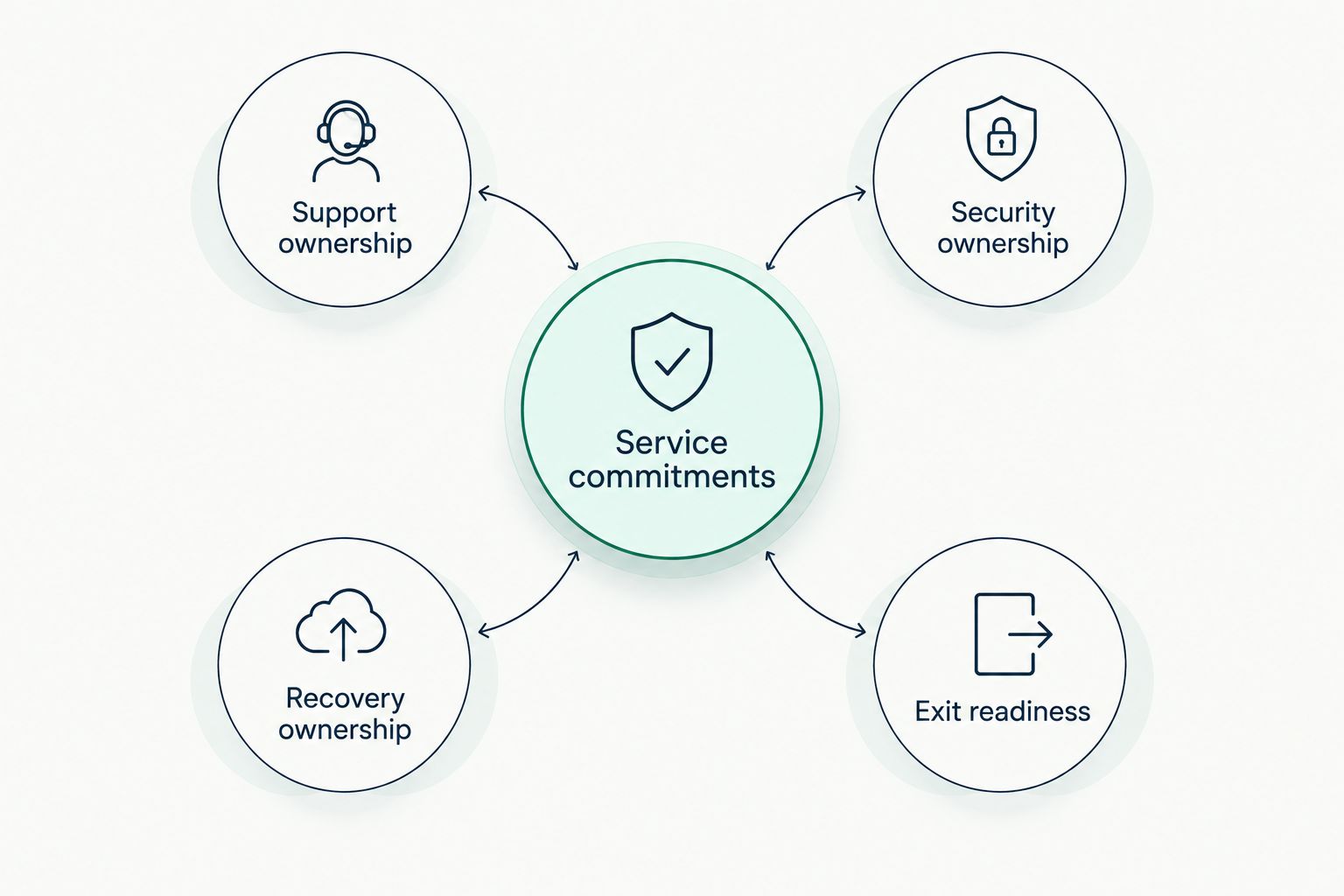
Evaluate ownership and handoffs before comparing service descriptions.
Use those categories to write an acceptance checklist for the proposed service. For each responsibility, record an owner, an escalation path and the evidence you expect to receive.
Why people switch from Cloudavize
Switch when you can name the unmet requirement and show how the replacement addresses it. These are decision criteria, not claims about Cloudavize's service performance.
- The responsibility split no longer fits. Your business has hired an internal IT lead, or an existing employee can no longer absorb operational work.
- The required scope has changed. You need defined cybersecurity or compliance responsibilities alongside everyday support.
- The agreement does not answer essential questions. Escalation, recovery testing or administrative access ownership needs clarification.
- Your business needs different evidence. Management wants documented actions, assigned owners and clear follow-up rather than ticket closure alone.
Before switching in 2026, give the incumbent a precise requirements document. A revised agreement can resolve a scope problem without the disruption of a provider transition.
If the proposed replacement cannot explain the difference in writing, the switch has no clear operational case. A new supplier name is not an improvement by itself.
Plan the handover before signing
Start with an inventory of business systems and their owners. Include identity administration, email, endpoints, network equipment, backups and applications that depend on outside vendors.
Next, establish which accounts and subscriptions belong to your business. Confirm the transfer process for administrative access without exchanging passwords through ordinary email or leaving shared accounts uncontrolled.
Then document the handover sequence and acceptance criteria. Keep existing coverage in place until the incoming team can demonstrate access, understand escalation paths and identify unresolved work.
Your 2026 transition plan should also separate inherited issues from new service failures. Otherwise, the first reporting period becomes an argument about who caused what instead of a record of what needs fixing.
When staying with Cloudavize is the right call
Stay with Cloudavize when its actual delivery, written commitments and assigned responsibilities meet your requirements. Familiarity with your environment has practical value when that knowledge is documented and the service relationship works.
The case for staying: You avoid a handover and preserve an established working relationship. Existing knowledge of your systems can support continuity.
The limit: Familiarity is not evidence that the current agreement covers new requirements. Review changed systems, responsibilities and business priorities before renewing.
If your concern is one unclear process, request a correction before replacing the entire relationship. Switch only when the proposed alternative solves a documented problem that the incumbent will not resolve.
FAQ
What's the best Cloudavize alternative in 2026?
DivergeIT is a relevant Cloudavize alternative for growing businesses seeking managed IT, cybersecurity and compliance services. Choose co-managed IT instead when you want to retain an internal technology lead and add outside support.
Is changing IT providers better than hiring an internal IT employee?
Neither approach is automatically better; they assign responsibility differently. An internal employee needs management and coverage, while a provider relationship needs a clear service scope and business decision-maker.
Can I keep my internal IT team and use an outside provider?
Yes, a co-managed IT arrangement divides responsibilities between your employees and a provider. Document ticket ownership, administrative access and escalation before the arrangement begins.
What should a managed IT service agreement include?
A managed IT service agreement should define included work, support commitments, escalation, security responsibilities and exit obligations. Distinguish response from resolution and identify who approves disruptive changes.
Should I replace all my software when I switch IT providers?
A provider change does not by itself justify replacing your software. Evaluate each system against business requirements, support responsibilities and the handover plan before approving changes.
When should I stay with Cloudavize?
Stay with Cloudavize when its delivery and written agreement meet your requirements. Request a scope or process correction before switching if the problem is limited and clearly defined.
One last thing
Ask for a sample service report before you sign. Check whether it distinguishes completed work, unresolved risks, required approvals and next actions.
For your 2026 decision, the useful question is not how polished the report looks. It is whether you can identify what needs your attention without translating technical activity into business decisions yourself.