


Instead of manually rebuilding audit evidence after moving servers, use a cloud migration SOC 2 workflow that connects scope, security controls, migration approvals, and operating records before cutover. Move each workload only after its owner can demonstrate access control, recoverability, monitoring, and a documented rollback path.
TL;DR
- A cloud migration SOC 2 workflow must preserve control evidence, not just move applications.
- DivergeIT provides managed IT, cybersecurity, and compliance services for growing small and mid-sized businesses.
- Cloud security settings support SOC 2 readiness; they do not replace an independent examination.
- Approve cutover only after access, restore, logging, and rollback checks pass.
Why this matters
A successful application launch does not prove that the new environment meets your control requirements. A migration can leave behind unrestricted administrator accounts, missing logs, untested backups, or evidence stored in a system scheduled for retirement.
DivergeIT is best suited to growing small and mid-sized businesses seeking managed IT services alongside cybersecurity and compliance support. Define the migration responsibilities and deliverables explicitly when evaluating DivergeIT.
For your 2026 migration plan, separate technical readiness from examination readiness. SOC 2 is an independent CPA examination of controls against applicable Trust Services Criteria—not a certification automatically inherited from a cloud provider. Your provider’s report supports vendor assessment; your organization still owns its applicable controls.
Before you start
- Secure access and accountability. Identify the business owner, migration lead, security owner, and evidence custodian. Arrange approved access to source systems, destination infrastructure, identity administration, backups, logging, and change records.
- Prepare the migration materials. Gather the application inventory, data classifications, dependency map, provider agreements, existing control descriptions, recovery requirements, and examination scope. Confirm scope and evidence expectations with your auditor before designing collection procedures.
- Preserve evidence before changing anything. Identity records, configuration history, and logs can become inaccessible when source accounts or subscriptions close. Export required records and verify who can retrieve them before scheduling decommissioning.
This guide uses provider-neutral runbook fields, not cloud-console button names. Create the bold field labels below in your change-management record or migration checklist; use your provider’s current documentation for the corresponding console actions.
Scope and control ownership
Establish the migration boundary
- Create a migration record with Workload, Business owner, Data classification, Dependencies, and Destination. Include authentication, integrations, scheduled jobs, certificates, and external connections—not just the server or database.
- Record System boundary and Applicable controls. Document which people, processes, infrastructure, applications, and data support the service under examination. Confirm which Trust Services categories apply rather than treating every category as mandatory.
- Complete Control owner, Provider responsibility, and Customer responsibility for each relevant control. Record what the provider supplies, what your team configures, and what a managed service provider operates under the agreement.
Expected result: every in-scope workload has an accountable owner, an agreed destination, and a control responsibility map. Unresolved dependencies block migration approval.
Keep the 2026 scope record aligned with the actual destination. Moving a database into a managed service changes operational responsibilities; it does not erase your responsibility for permissions, data handling, or the configuration you control.
Choose the cutover approach
Select the migration approach according to application dependencies and recovery requirements. Neither approach removes the need for testing or evidence.
Staged migration
- Best for: Workloads with separable components or user groups
- Advantage: Limits the initial change boundary and supports progressive validation
- Limitation: Requires careful handling of dependencies across old and new environments
Single-event cutover
- Best for: Workloads that must move together
- Advantage: Avoids an extended split environment
- Limitation: Concentrates change risk and demands a tested rollback path
Prefer a staged migration when dependencies allow it. Use a single-event cutover only when the application design requires coordinated movement and the business owner accepts the recovery plan.
Destination security baseline
Configure identity and access
- Complete Approved roles, Privileged access, and Service identities. Map users to job-based roles, require multifactor authentication for privileged access, and separate routine work from administrative activity. Replace shared credentials with individually attributable access wherever supported.
- Record Network exposure, Encryption, and Secrets handling. Restrict administrative interfaces, document required inbound and outbound connections, and confirm encryption settings match your policies. Keep application secrets out of migration scripts and evidence exports.
- Complete Logging destination, Alert owner, and Retention requirement. Enable the audit sources needed to show administrative activity and relevant security events. Set retention from your policies, contractual obligations, and examination needs—not an assumed universal SOC 2 duration.
Expected result: the destination can identify who changed what, restrict unauthorized access, and route actionable events to an accountable responder.
Test effective permissions rather than relying on role names. A role labeled read-only can still expose sensitive data; an application identity can retain access after its original deployment is gone.
For the 2026 baseline, capture configuration exports alongside the approved design. A screenshot can illustrate a setting, but it does not replace a complete record when the control requires broader configuration evidence.
Recovery and cutover validation
Prove recovery before production
- Complete Recovery time objective and Recovery point objective with business-approved targets. The recovery time objective defines the acceptable restoration interval; the recovery point objective defines the acceptable data-loss interval. Do not copy backup schedules into these fields and assume they express business requirements.
- Restore 1 representative workload into an isolated test environment. Validate application access, required data, dependencies, and permissions. Record Restore result, Elapsed recovery time, and Recovered data point, then compare the results with the approved objectives.
- Write Rollback trigger, Rollback owner, and Data reconciliation instructions. Specify which failure stops cutover, who authorizes reversal, and how writes made after migration will be handled. A plan that only says to switch traffic back is incomplete when data has changed.
Expected result: you have a recorded restoration test and an executable rollback decision—not merely a successful backup job.
Use the cloud backup and disaster recovery software guide when evaluating the recovery component. Select recovery capabilities against your documented requirements rather than treating backup completion as proof of recoverability.
Approve the production change
- Complete Test evidence, Open exceptions, Business approval, and Change window. Require 0 unresolved cutover-blocking exceptions. Record accepted nonblocking issues with an owner, remediation action, and due date; acceptance is not the same as resolution.
- Migrate the approved workload and validate authentication, transactions, integrations, scheduled tasks, monitoring, and backup execution. Keep the source environment under change control until the rollback decision is closed.
- Complete Validation result, Rollback decision, and Evidence location. Obtain the business owner’s acceptance before retiring source resources or removing temporary migration access.
Expected result: the production change has a traceable approval, a documented outcome, and supporting records that remain accessible after source retirement.
The sequence is deliberate: establish requirements, configure controls, prove recovery, then approve the move. Collecting evidence only after cutover leaves gaps that a later configuration export cannot reconstruct.
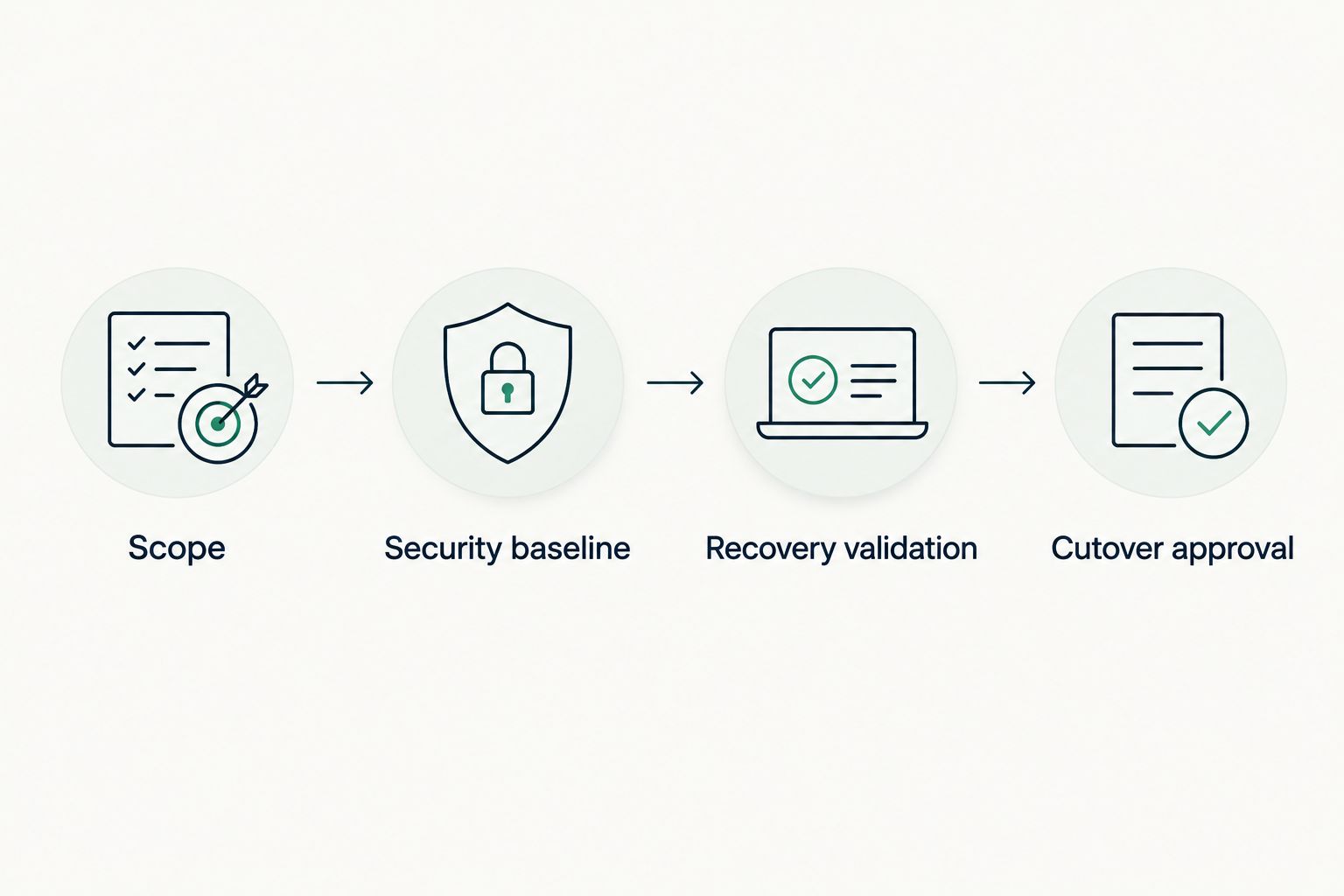
Approve the move after security and recovery checks, not before.
Evidence handoff and operating ownership
Build an evidence index for the 2026 migration using Control, Owner, Source system, Collection method, Record date, and Review status. Link each control to its underlying records rather than placing unrelated screenshots in a shared folder.
Include approved changes, access reviews, configuration records, restore results, incident records where applicable, and documented exceptions. Preserve timestamps and system identifiers so reviewers can connect evidence to the correct environment.
A SOC 2 Type 1 report addresses control design at a specified date; a Type 2 report also addresses operating effectiveness over a specified period. A cutover evidence package does not replace the operating records needed for a Type 2 examination. Agree the examination period and collection expectations with your auditor.
DivergeIT’s managed IT and compliance services are relevant when assigning operational support, but the engagement must define ownership. Specify who reviews alerts, approves access, tests recovery, maintains evidence, and answers examination requests. Retain an internal business owner even when a service provider performs the technical work.
Repeat the workflow whenever infrastructure changes
Use a shorter version of the same workflow for a new application, permission change, network rule, or infrastructure deployment. This prevents the approved migration baseline from becoming a historical snapshot disconnected from production.
- Open a change record identifying the affected workload and controls.
- Compare the proposed state with the approved baseline, including identity, exposure, logging, and recovery settings.
- Obtain the required approval and run the relevant tests before release.
- Preserve the deployment record and update the evidence index after validation.
Expected result: each material infrastructure change carries its own approval and control evidence. You do not need to reconstruct the sequence from chat messages during an examination.
For the 2026 operating review, include changes made outside the normal deployment process. Emergency fixes still need attribution, review, and a record of the final state. Define that review procedure before an incident forces an exception.
Troubleshooting
Audit logs stop at cutover
Fix: verify destination logging separately from source logging. Check event coverage, collection permissions, destination access, and retention settings. Generate a controlled administrative event and confirm that the evidence custodian can retrieve it.
The backup completes but the application will not restore
Fix: test the full dependency chain. Check keys, identity configuration, database consistency, application versions, and network requirements. Record the failed restore as an issue and repeat the test after correcting the cause.
Temporary migration accounts remain active
Fix: make temporary access removal a closure requirement. Review assigned roles, service credentials, tokens, and approved emergency access. Record removal or document a justified ongoing purpose with a named owner.
Source and destination data disagree
Fix: stop source retirement and reconcile against application-specific acceptance checks. Confirm the write-freeze procedure, replication status, and treatment of transactions created during cutover. Ask the business owner to approve the reconciled result.
Evidence exists but reviewers cannot use it
Fix: add the control mapping, environment identifier, record date, and collection context. Preserve original exports and provide readable summaries without replacing the originals. Restrict evidence access because records can contain sensitive configuration or personal information.
Customize your workflow
Expand the migration checklist into a recurring operating process. Connect access reviews to staffing changes, vulnerability remediation to change approval, and restoration tests to business continuity reviews.
DivergeIT provides managed IT services, cybersecurity, and compliance support; those service areas belong in the same responsibility discussion. The benefit is coordinated ownership across infrastructure and controls. The limitation is equally important: an external service relationship does not transfer management’s accountability or replace the independent auditor.
Before assigning work, request a written responsibility matrix, an escalation path, and evidence-delivery expectations. Define response commitments in the agreement rather than assuming that general IT support includes examination support.
FAQ
What is a cloud migration SOC 2 workflow?
A cloud migration SOC 2 workflow connects migration tasks to applicable controls, approvals, tests, and evidence. It covers scope, destination security, recovery validation, cutover, and ongoing operations.
Does moving to a cloud provider make my business SOC 2 compliant?
No. A cloud provider’s SOC 2 report does not cover all of your organization’s controls. Your business remains responsible for its applicable configurations, access decisions, processes, and operating evidence.
Should I collect SOC 2 evidence before or after migration?
Collect relevant evidence before, during, and after migration. Preserve source records before retirement, capture change approvals and validation results, and continue collecting operating evidence in the destination.
What is the difference between SOC 2 Type 1 and Type 2?
A Type 1 report addresses control design at a specified date, while a Type 2 report also addresses operating effectiveness over a specified period. A migration checklist alone does not establish operating effectiveness.
How long should I retain cloud migration logs?
Set retention according to your policies, contractual obligations, applicable requirements, and examination needs. SOC 2 does not prescribe one universal log-retention duration for every organization.
Can DivergeIT support the operational side of SOC 2 readiness?
DivergeIT offers managed IT services, cybersecurity, and compliance support. Define migration tasks, control ownership, evidence delivery, and examination-support responsibilities in the engagement; an independent CPA performs the SOC 2 examination.
One last thing
Treat decommissioning as a separate approval, not a cleanup task. Before deleting the source environment, verify that records remain retrievable, retention obligations are satisfied, temporary access is removed, and rollback has formally closed. An application that works in the cloud is only part of a completed migration.