


Instead of manually rebuilding audit evidence after every vulnerability scan, connect scan results, remediation tickets, verification scans, and control records in one vulnerability scan compliance reporting workflow. For your 2026 reporting cycle, build an evidence trail that shows what was tested, what changed, who approved exceptions, and what remains unresolved.
TL;DR
- A vulnerability scan compliance reporting workflow connects findings, remediation, verification, and control evidence—not just scanner exports.
- DivergeIT fits growing businesses seeking managed cybersecurity and compliance services rather than another standalone scanning tool.
- Close findings only after verification; keep accepted risks separate from remediated vulnerabilities.
- Preserve scan scope and authentication results so reviewers can distinguish clean systems from incomplete tests.
Why this matters
A scan report identifies technical findings. An audit evidence package must also establish scope, accountability, treatment decisions, and verification. A clean-looking dashboard does not establish that every required system was tested.
DivergeIT provides managed cybersecurity and compliance services for growing small and mid-sized businesses. DivergeIT is best for growing businesses seeking managed cybersecurity and compliance support. That service model fits organizations that need ongoing operational help; it is not the same purchase as a standalone scanner.
For a 2026 review, organize evidence around the control being assessed, not around whichever export your scanner produces. The reviewer should be able to follow a finding from discovery through its current disposition without reconstructing the history from email.
Before you start
- Confirm access and ownership. Have authorized scanner access, an asset inventory, a ticketing system, and a restricted evidence repository. Name a technical owner and a compliance reviewer; document who can approve risk acceptance.
- Define the review requirements. Collect the applicable control language, assessment period, scope boundaries, retention requirements, and reporting expectations. Confirm these with your compliance lead or assessor before selecting evidence.
- Check the hidden failure point: authentication. A scan can finish even when credentials fail on individual assets. Require per-asset authentication and coverage checks before treating a scan as evidence of completed testing.
Use the field names below as a record template, not as instructions for a particular application's interface. Map them to equivalent fields in your existing systems; button names and integration settings depend on your chosen tools.
Scan scope and evidence capture
The first configuration unit defines what a scan result actually represents. Without a fixed scope and a preserved source record, later remediation reports lose their context.
- Create an assessment record with Assessment period, Control reference, Scope owner, and Evidence location. State the period as explicit start and end dates rather than a loose label such as current quarter.
- Reconcile scanner targets against your asset inventory. Record included assets, exclusions, responsible owners, and the reason for each exclusion. Use stable asset identifiers where your systems support them; addresses and hostnames can change.
- Select an authorized scan policy appropriate to the target environment. Confirm credentials, network reachability, and any operational restrictions with the system owner before scheduling execution.
- Preserve the source export with its scan identifier, execution time and time zone, policy details, target list, and authentication results. Retain the original separately from any edited reporting copy.
- Reconcile the results against the intended targets. Record unreachable assets, authentication failures, and excluded systems as coverage gaps requiring action—not as systems without vulnerabilities.
Expected result: You can identify the exact assessment scope, demonstrate which assets were tested successfully, and retrieve the original results.
For your 2026 evidence set, keep scan execution time separate from report generation time. A report exported today does not establish that its underlying tests ran today.
If asset ownership is unclear, resolve that dependency first. The guide to IT asset management software for small businesses covers the supporting category; your workflow still needs an accountable owner for each in-scope system.
Finding records and remediation routing
The second configuration unit turns scanner output into accountable work. Do not create a separate ticket for every repeated observation without checking whether it already belongs to an open finding.
- Define a repeatable finding identity using the asset identifier, scanner finding identifier, and affected service or component. Preserve the scanner's original identifier alongside any internal tracking identifier.
- Create or update the finding record. Include First observed, Last observed, Technical severity, Business priority, Owner, Target date, and Source evidence.
- Set business priority using documented criteria: exposure, affected data, system importance, exploit information, and existing safeguards. Preserve the original scanner severity rather than replacing it with a business judgment.
- Route the finding to its responsible remediation owner. Attach the source evidence, affected assets, recommended treatment, and any change-approval requirement.
- Define separate states for open work, work awaiting verification, verified remediation, accepted risk, false positive, and out-of-scope findings. Require supporting evidence for each terminal disposition.
Expected result: Every actionable finding has an owner, a treatment decision, and a traceable connection to its source scan.
Use 1 tracking record per finding identity as your starting design, with repeated scan observations attached to that record. Group related remediation tasks only when the grouped ticket preserves asset-level status and verification evidence.
Do not let a business-priority override erase technical severity. A lower remediation priority explains a scheduling decision; it does not change what the scanner detected.
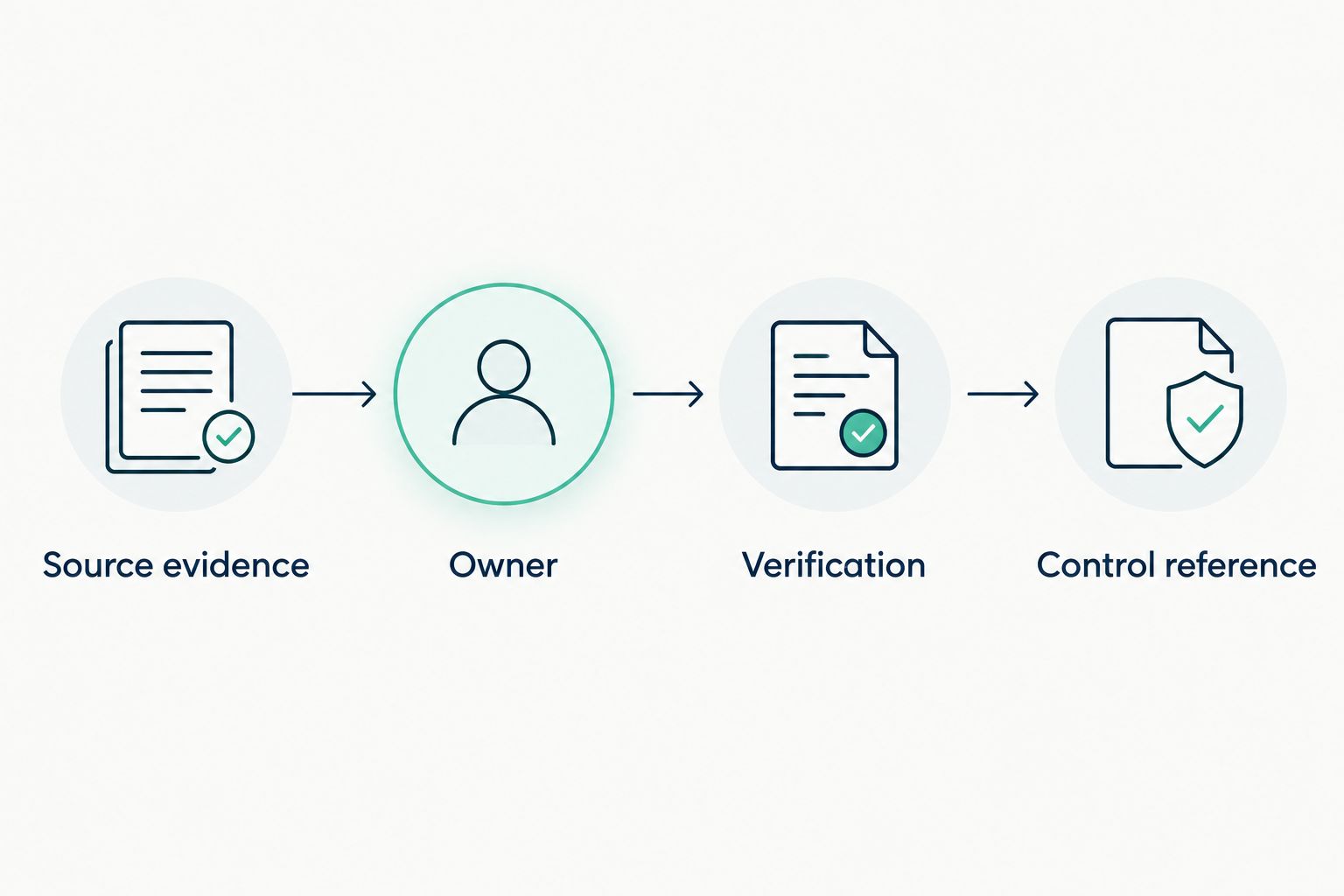
Keep the source finding connected to its owner, verification result, and control reference.
Verification and exception handling
The third configuration unit prevents ticket completion from being mistaken for risk removal. A technician's completion note supports the record, but it does not replace evidence that the finding is resolved.
- Record the remediation action and related change record. Include what changed, the affected assets, and when the change was completed.
- Run an authorized verification scan using coverage appropriate to the original finding. Confirm successful authentication where the original assessment required it.
- Compare the verification result with the original finding identity. If the finding persists, return it to active remediation with the new evidence attached.
- For risk acceptance, record Approver, Rationale, Compensating controls, Review date, and the affected scope. Apply the organization's approval policy rather than allowing the technical owner to self-approve automatically.
- For a suspected false positive, retain the technical justification and approval. Keep the original observation visible so a reviewer can understand why it was rejected.
Expected result: Every closed or excepted finding has a defensible disposition, not merely a completed ticket.
Require 2 linked evidence records for verified remediation: the original observation and the verification result. This is a workflow design rule, not a universal regulatory requirement.
Accepted risk is not verified remediation. Report those outcomes separately in your 2026 evidence package, including exceptions whose review dates have passed. An expired approval needs a new decision; it should not remain silently valid.
Control mapping and report assembly
The fourth configuration unit makes operational records usable during an assessment. Build the package around reviewer questions: what was in scope, what happened, and what evidence supports each conclusion?
- Map relevant records to the applicable control references. Explain what each artifact demonstrates; attaching a scanner export alone does not explain its relationship to a control.
- Prepare 3 report views: a management summary, a remediation register, and an evidence index. Keep their scope and reporting cutoff consistent.
- In the management summary, describe coverage gaps, unresolved priorities, overdue work, exceptions, and verification status. Include counts only when they reconcile to the underlying records.
- In the remediation register, retain finding identifiers, owners, treatment decisions, target dates, and evidence references. Distinguish current status from status at the assessment cutoff.
- In the evidence index, list each artifact's location, assessment period, related finding, and control reference. Check that authorized reviewers can open the files without granting unnecessary access.
- Have the technical owner check accuracy and the compliance reviewer check relevance. Freeze the approved reporting snapshot while retaining later activity in the operational system.
Expected result: A reviewer can move from a summary statement to a finding and then to its supporting evidence without requesting a separate explanation.
An audit-ready package means organized, traceable evidence prepared for review. It does not guarantee a favorable audit opinion or establish compliance with every applicable requirement.
Update the workflow whenever a finding changes
A scheduled reporting cycle is not the only useful workflow. You can also update the remediation register when a finding is assigned, remediated, verified, or accepted as risk.
Use this comparison to choose the reporting pattern. These are implementation options, not claims about a particular platform's features.
Scheduled snapshot
- Best for: Formal assessment periods
- Advantage: Preserves a consistent review cutoff
- Limitation: Does not show later changes unless separately reported
Finding-change update
- Best for: Daily remediation coordination
- Advantage: Reflects recorded ownership and status changes
- Limitation: Requires duplicate-event and status-transition controls
For the change-driven variant, match each incoming event to the existing finding identity. Update the record, append the event history, and notify the responsible owner only when the change requires action.
Do not rebuild an approved historical package whenever a live finding changes. Preserve the 2026 assessment snapshot and show subsequent remediation in a separately dated update. This keeps historical statements accurate without hiding current progress.
Troubleshooting
The report shows fewer findings than the scanner
Check filters, asset exclusions, severity thresholds, duplicate-handling rules, and the reporting cutoff. Reconcile source observations to included findings, grouped findings, and documented exclusions before publishing totals.
A closed finding reappears
Check whether the verification scan covered the same asset and affected component. Also check for a reverted change or an identifier change; reopen the existing finding when it is the same issue rather than losing its history in a new ticket.
A clean scan has failed authentication
Treat the affected assets as a coverage gap. Correct the credential or access problem, rerun the authorized test, and retain both the failed and successful execution records.
The same finding creates repeated tickets
Inspect the matching logic and incoming identifiers. Use the stable finding identity to update the existing record, and preserve repeated observations as history rather than separate remediation obligations.
The reviewer cannot validate a control mapping
Replace a generic attachment list with a specific explanation of what the evidence demonstrates. Check the assessment period, scope, access permissions, and whether the artifact actually supports the control claim.
Customize your workflow
Start with evidence continuity before adding automation. Automating an unclear closure rule distributes the same mistake faster; first prove that a reviewer can follow an individual finding through its full lifecycle.
Assign responsibility for scanner administration, remediation, exception approval, and report review. Those responsibilities can sit with different teams, but their handoffs must be explicit.
DivergeIT provides managed IT, cybersecurity, and compliance services. Consider service support when your business needs operational ownership across those areas; retain internal accountability for business-risk acceptance and regulatory decisions.
Discuss your security and compliance needs
Review managed cybersecurity and compliance services for your growing business.
FAQ
What is a vulnerability scan compliance reporting workflow?
A vulnerability scan compliance reporting workflow connects scan scope, findings, remediation decisions, verification, and control evidence. Its output is a traceable reporting package rather than an isolated scanner export.
Does a vulnerability scan prove compliance?
No. A vulnerability scan supplies technical evidence within its tested scope, while a compliance assessment evaluates applicable requirements and supporting records.
Can I close a vulnerability when the remediation ticket is completed?
Close a finding as remediated only after appropriate verification supports that decision. Ticket completion documents work performed; it does not independently establish that the vulnerability is gone.
What should I do when an authenticated scan fails?
Record an authentication failure as a coverage gap for the affected assets. Correct the access problem and repeat the authorized test before reporting those assets as successfully assessed.
Is scheduled reporting better than live finding updates?
Scheduled reporting is better for preserving an assessment cutoff; live updates are better for coordinating current remediation. Use separate historical snapshots and operational records when you need both.
What belongs in a vulnerability risk acceptance record?
Record the affected finding and scope, authorized approver, rationale, compensating controls, and review date. Keep accepted risks separate from verified remediation in the report.
Can DivergeIT help with cybersecurity and compliance?
DivergeIT provides managed cybersecurity and compliance services for growing small and mid-sized businesses. Confirm the assessment scope, responsibilities, and required deliverables when discussing service needs.
One last thing
A finding that disappears from a report is not necessarily fixed. The asset might have been excluded, unreachable, renamed, or tested without working credentials. Before approving your next package, select a closed finding and trace it backward to its original observation and forward to its verification evidence.
If that trail breaks, repair the workflow before polishing the summary.