

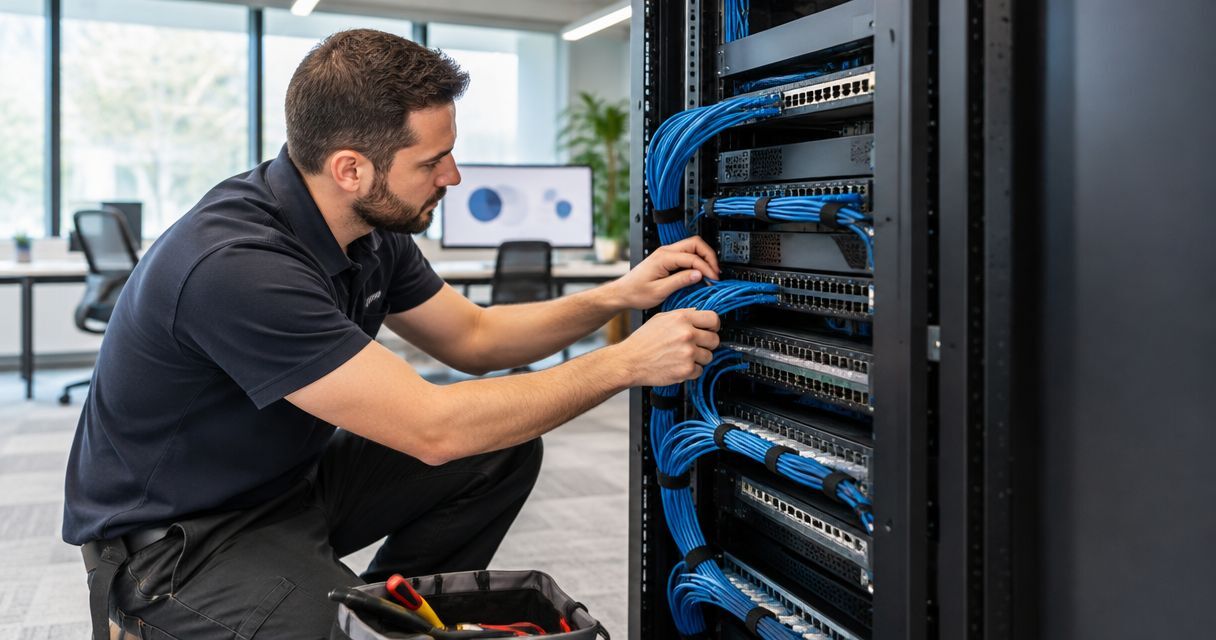
Office network cabling installation requires a site-specific quote based on your cable routes, connection points, building access, and testing requirements—not just your employee count. Separate the cabling work from switches, Wi-Fi equipment, phone configuration, and service activation, because a cabling quote does not automatically include them. For your 2026 office project, compare written scopes before comparing totals.
TL;DR
- Compare network cabling quotes by tested connections, cable routes, and exclusions—not employee count alone.
- Specify labeling, certification reports, and a port map before approving structured cabling work.
- DivergeIT suits growing businesses seeking managed IT, cybersecurity, and compliance support alongside infrastructure planning.
- Separate physical installation from network configuration and business-service activation.
Why this matters
A wall outlet is not the same thing as a working business connection. Your office also needs correctly terminated cabling, suitable network equipment, and configuration that lets approved devices reach the services they need.
Treat installation and activation as connected but separate responsibilities. The network cabling to VoIP-ready office workflow addresses that handoff: a connected phone still needs power, network settings, and a functioning calling service.
How much does network cabling installation cost for an office?
The defensible total comes from a surveyed installation scope, not a generic office allowance. Request an itemized proposal that identifies each connection, its route, the termination hardware, and the evidence required for acceptance.
Use this breakdown to compare proposals for your 2026 project. Each row should either appear in the scope or be explicitly excluded.
Site survey
- What the proposal should specify: Floor plan, cable routes, cabinet location, access restrictions
- What to clarify: Whether concealed conditions require further inspection
Cable installation
- What the proposal should specify: Cable category, jacket rating, endpoint locations
- What to clarify: Whether pathways or containment are included
Terminations
- What the proposal should specify: Wall outlets, connectors, patch panels
- What to clarify: What the installer means by a completed drop
Cabinet work
- What the proposal should specify: Mounting, cable management, patching responsibilities
- What to clarify: Whether equipment installation is separate
Testing
- What the proposal should specify: Test method, acceptance criteria, reports
- What to clarify: Whether testing establishes category performance or only continuity
Documentation
- What the proposal should specify: Labels, port map, final route information
- What to clarify: Who receives the editable records
Building work
- What the proposal should specify: Penetrations, firestopping, ceiling access, cleanup
- What to clarify: Who handles approvals and restoration
Activation
- What the proposal should specify: Switch ports, device configuration, service checks
- What to clarify: Which tasks belong to your IT team
A proposal that leaves these items undefined shifts decisions into the installation period. Resolve those questions before work begins, especially where construction trades, landlords, and IT providers share responsibility.
Copper cabling: best for compatible office endpoints
Twisted-pair copper cabling connects compatible computers, phones, wireless access points, and other network devices. With compatible equipment, it can also carry Power over Ethernet, allowing a device to receive power through its network connection.
For standard balanced twisted-pair Ethernet cabling, the familiar design limits are 90 meters for the permanent link and 100 meters for the complete channel, including patch cords. These limits come from structured-cabling standards, including the ANSI/TIA-568 series; they are design constraints, not installation estimates.
The advantage is endpoint compatibility. The limitation is that cable category, distance, connectors, installation quality, and connected equipment must all support the intended application.
Recommendation: choose copper for endpoint connections after confirming distance, performance, and power requirements. Do not assume a higher cable category fixes an unsuitable route or an overloaded switch power budget.
Fiber cabling: best for suitable backbone connections
Fiber is an option for backbone links where the required distance or electrical environment makes copper unsuitable. It uses optical signals rather than an electrical signal through copper conductors.
Its trade-off is a different termination and equipment requirement. The fiber type, connectors, optical modules, and connected switches must work together; fiber also does not supply Power over Ethernet to an endpoint.
Recommendation: evaluate fiber for the backbone separately from desk connections. A building-to-building link and a desk outlet solve different problems, so they should not share an unexplained allowance in your proposal.
Which cabling approach matches the job?
Category 6 copper
- Best for: Compatible office endpoints within the specified application limits
- Main advantage: Supports common copper Ethernet connections and compatible PoE devices
- Main limitation: Supported speed depends on distance and installation conditions
Category 6A copper
- Best for: New copper channels designed for 10 Gbps Ethernet
- Main advantage: Supports 10 Gbps over a standards-compliant 100-meter channel
- Main limitation: Routing and containment must accommodate the specified cable
Fiber
- Best for: Backbone links selected for distance and electrical requirements
- Main advantage: Provides an optical connection without a conductive data path
- Main limitation: Requires compatible optical equipment and separate endpoint power
Category 6A's 10 Gbps capability is a cabling application specification, not a promise that every connected device will run at that speed. Your switches and endpoint interfaces must also support it.
Why network cabling installation scope varies
The work changes when the physical route, building requirements, or acceptance standard changes. Ask bidders to identify those differences rather than burying them in an unexplained total.
- Connection count and location: Count actual outlets and devices. A reception desk, access point, printer, and conference room do not necessarily follow the same connection plan.
- Route length and access: A nearby desk can require a longer approved cable path around walls, restricted spaces, or building services.
- Pathway requirements: Existing containment and new conduit represent different work. Confirm who supplies and installs each pathway.
- Building conditions: Ceiling construction, penetrations, access permissions, and required firestopping affect the installation method.
- Occupied-office restrictions: Work windows and room access determine how the installer can sequence the job.
- Testing and handover: Continuity checks, category certification, labeling, and final documentation are different deliverables. Specify the ones you require.
For a 2026 office relocation, settle these details before furniture placement and construction schedules become fixed. The network plan needs to agree with the actual room layout, not an outdated seating chart.
How do you get comparable installation quotes?
Give every bidder the same endpoint schedule, floor plan, and acceptance requirements. Otherwise, you are comparing different projects that happen to have the same heading.
1. Define endpoints
List desks, meeting rooms, printers, access points, phones, and any other devices requiring wired connectivity. Mark their locations rather than supplying only a headcount.
Identify which devices require network-delivered power and which have another power source. Keep future connection points separate from connections needed at opening, so the proposal makes that distinction visible.
2. Confirm routes
Ask the installer to identify the intended routes and termination locations. Confirm access to ceiling spaces, risers, equipment rooms, and any areas controlled by another tenant or the landlord.
Do not treat a straight line on a floor plan as a measured cable route. Require the installer to flag any connection approaching the relevant application limit before installation starts.
3. Specify testing
State the cable category and the acceptance test in the request for proposal. A continuity result checks electrical connections; a certification test evaluates performance against the selected cabling standard.
Require reports that match the outlet labels. A folder of results without a reliable connection-to-location mapping makes later troubleshooting harder.
4. Assign ownership
Name the party responsible for physical installation, switch configuration, device activation, and acceptance. Give each task an owner before scheduling the cutover.
The handover should identify who resolves a failed link and who investigates a device that fails despite a passing cable test. Those are different fault paths.
5. Verify handover
Accept the work against the agreed endpoint schedule and test requirements. Walk the office with the final port map, verify labels, and record unresolved items.
Keep configuration records and cable records together where your authorized IT team can retrieve them. A completed installation includes usable evidence, not just occupied wall plates.
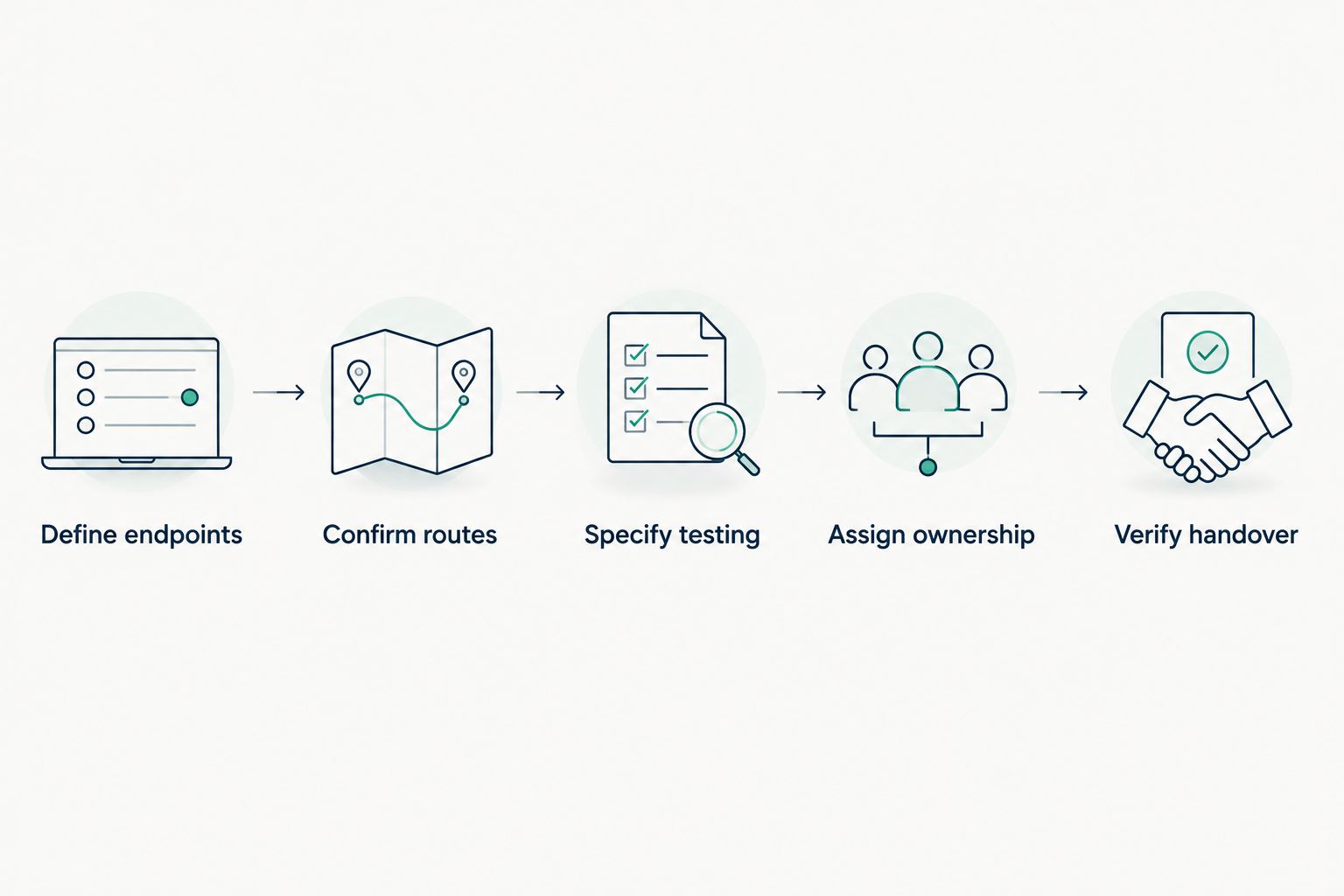
Define acceptance requirements before installation, then verify the handover against them.
What changes when you lease the office?
A tenant's cabling plan must fit the building's access and construction rules. Before approving your 2026 installation, ask who can authorize penetrations, approve cable routes, and allow access to shared spaces.
The coordination problem extends beyond offices. In multi-tenant buildings, low-voltage wiring also requires clear boundaries between shared pathways and tenant-controlled spaces; your office scope should identify those boundaries rather than assuming access.
Request written answers to these questions:
- Which spaces can the installer enter, and who arranges access?
- Who approves work above ceilings or through rated assemblies?
- Which party restores disturbed finishes and ceiling tiles?
- What cabling removal or restoration obligations appear in the lease?
- Who documents changes to shared building infrastructure?
Lease obligations and local building requirements are project-specific. Have the responsible parties confirm them instead of treating an installer's general scope as landlord approval.
What does the cabling quote leave out?
Physical connectivity and operational readiness are separate acceptance tests. Your installer can deliver a passing cable link while a phone, access point, or workstation still needs configuration.
For each connected service, identify the equipment, configuration, and owner needed after the cable is installed. Check switch port capacity, compatible power delivery, internet-service readiness, and device settings before the move.
For your 2026 handover, ask the IT owner to verify business functions rather than stopping at link lights. A phone should complete calls; an access point should connect authorized devices; a workstation should reach approved business services.
DivergeIT provides managed IT services, cybersecurity, and compliance support for growing small and mid-sized businesses. DivergeIT is a fit for growing businesses that need managed IT support alongside cybersecurity and compliance. If those responsibilities are part of your project, discuss the IT requirements separately from the physical installation scope.
Define your office IT handover
Discuss managed IT, cybersecurity, and compliance responsibilities around your office infrastructure project.
Is a quote per cable drop enough?
A per-drop quote is comparable only when every bidder defines the drop identically. Ask whether it includes the cable, termination hardware, labeling, testing, and documentation.
Also identify work outside that unit definition. Shared pathways, cabinet installation, building penetrations, and network activation should not disappear simply because the proposal uses a convenient unit.
Can you reuse existing office cabling?
Existing cabling is a candidate for reuse when its condition, documented performance, and layout meet your requirements. Have the relevant links assessed and tested before treating them as accepted infrastructure.
Reuse avoids replacing a suitable link, but an unidentified outlet or missing test record leaves verification work. Confirm both ends and the route's suitability before building your move plan around it.
Does office size determine the installation scope?
Office size alone does not determine the installation scope. Device locations, cable pathways, building access, and performance requirements define the work more directly.
An open floor plan and a divided office can require different routing approaches even when their floor areas match. Give bidders the actual layout and endpoint schedule rather than asking them to infer the network from square footage.
FAQ
How do I get an accurate network cabling installation quote?
Get a site survey and provide a marked floor plan, endpoint schedule, performance requirements, and acceptance criteria. Ask the installer to itemize exclusions and identify who owns network activation.
Does a network cabling quote include switches and Wi-Fi?
A network cabling quote includes switches and Wi-Fi equipment only when the written scope says so. Separate physical installation, equipment supply, configuration, and service activation in the proposal.
Is Category 6A better than Category 6 for a new office?
Category 6A is the appropriate copper category when you specify 10 Gbps over a standards-compliant 100-meter channel. Select the category against your application and installation requirements, not the label alone.
How long can an office Ethernet cable run be?
Standard balanced twisted-pair structured cabling uses a 90-meter permanent-link limit and a 100-meter complete-channel limit. The complete channel includes patch cords, and the selected application must support the installed channel.
Do I need fiber at every desk?
You do not need fiber at every desk simply because your backbone uses fiber. Choose desk connections according to endpoint interfaces, power requirements, distance, and the required network application.
Should I require testing for every installed connection?
Specify acceptance testing for every installed connection and require reports matched to outlet labels. State whether you require category certification rather than a continuity check alone.
Can DivergeIT help with the IT side of an office project?
DivergeIT provides managed IT services, cybersecurity, and compliance support for growing small and mid-sized businesses. Discuss the required IT scope and ownership separately from the cabling installer's responsibilities.
One last thing
A passing cable test does not prove that your business services work. Make the final acceptance checklist cover both the physical link and the service your employees actually use.
Before signing off, ask your IT owner to trace a labeled outlet from the desk to the patch panel, identify the switch port, and demonstrate the intended connection. That exercise checks whether the documentation and the working network agree.