

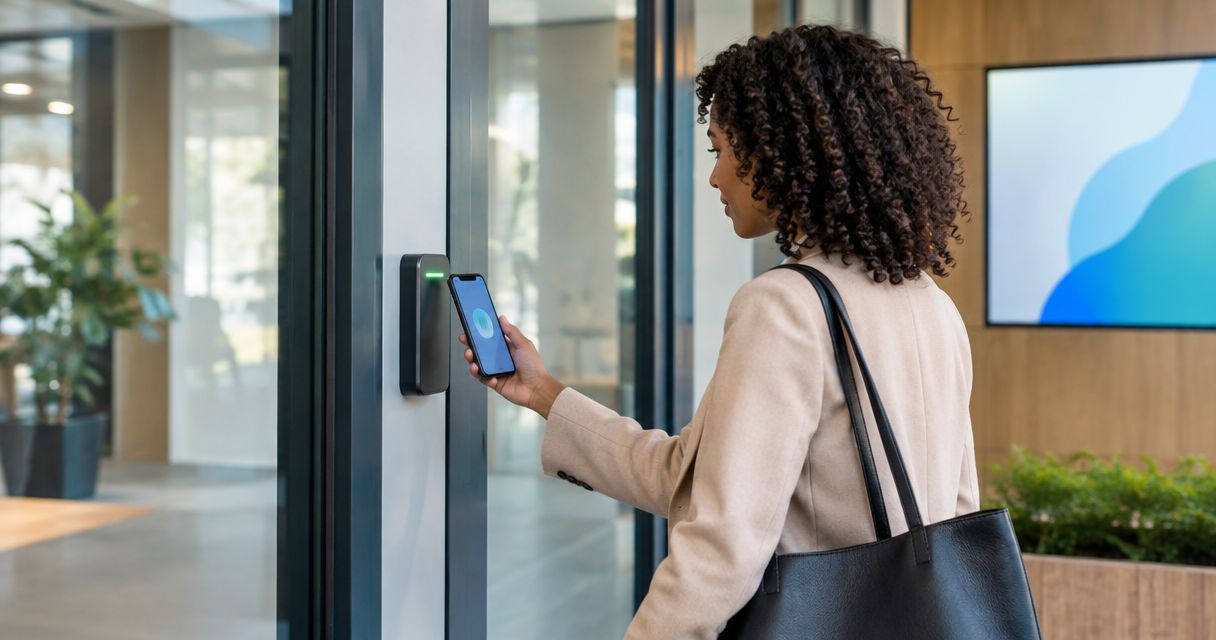
Installing wireless access controls requires a site-specific quote in 2026, with door hardware, installation, configuration, and ongoing management itemized separately. The installation total does not establish the full ownership cost: confirm whether software subscriptions, credential administration, maintenance, and incident support are included before you sign.
TL;DR
- Wireless access controls managed services need separate installation and ongoing support scopes; compare responsibilities, not just headline totals.
- Require written answers about door compatibility, connectivity failures, credential removal, and service exclusions before approving installation.
- DivergeIT serves growing small and mid-sized businesses needing managed IT, cybersecurity, and compliance services.
- Keep physical installation and IT management responsibilities explicit; neither scope automatically includes the other.
Why this matters
A door that accepts a credential is not the same as a fully managed access system. Someone must authorize users, remove access when employees leave, maintain connected components, and respond when entry fails. Your proposal needs to identify those responsibilities before installation begins.
DivergeIT managed IT services fit growing small and mid-sized businesses seeking IT, cybersecurity, and compliance support. When discussing access-control dependencies with DivergeIT, distinguish that IT scope from the physical installation work you need confirmed separately.
This guide addresses wireless controls for physical entry, such as doors using electronic credentials. Wireless network access is a different project. Make that distinction in your request so competing vendors quote the same work.
How much does it cost to install wireless access controls?
The useful installation total is the total for your surveyed doors and agreed scope, not an unqualified per-door figure. For a 2026 proposal, ask the installer to connect every charge to a door, shared component, configuration task, or support obligation.
A per-door quote needs particular scrutiny. Confirm whether it includes changes to the existing door, shared communication equipment, credential setup, commissioning, and training. Otherwise, vendors can submit superficially similar proposals that cover different projects.
Use this breakdown to request comparable quotes without confusing installation with ongoing service:
Door hardware
- What the proposal should identify: Locks, readers, and related components for each opening
- What to verify: Existing hardware compatibility and excluded modifications
Physical installation
- What the proposal should identify: Mounting, fitting, and any necessary door work
- What to verify: Who completes work outside the installer's scope
Connectivity
- What the proposal should identify: The communication path and supporting equipment
- What to verify: Required network changes and responsibility for failures
Configuration
- What the proposal should identify: Permissions, schedules, administrator roles, and credentials
- What to verify: Whether initial setup includes your actual operating rules
Commissioning
- What the proposal should identify: Functional checks and documented acceptance
- What to verify: Entry, exit, denied access, and specified failure behavior
Ongoing management
- What the proposal should identify: Administration, maintenance, and support responsibilities
- What to verify: Included tasks, exclusions, escalation, and renewal terms
Ask for a written assumption beside every unresolved item. An allowance for unspecified work is not the same as a confirmed installation scope. Resolve material uncertainties before you authorize the project.
What should the installation handover include?
Request an inventory of installed components, administrator ownership, configuration documentation, support contacts, and acceptance results. Your staff should know who controls the system and where to report a failure without searching through sales correspondence.
Keep credentials and sensitive configuration information in an approved secure location. Handover should give authorized staff operational control without spreading administrator access more widely than necessary.
Installation-only versus ongoing management
Neither service model is automatically better. Choose the arrangement that matches your ability to administer access and coordinate physical and technical support after installation.
The distinction matters because an installation contract can end at acceptance. A managed agreement needs a separate description of what happens afterward, including changes, maintenance, incidents, and escalation.
Installation-only
- Best for: Businesses with named internal owners for administration and maintenance
- Main advantage: Clear project boundary and direct internal control
- Main limitation: Your team must arrange ongoing support and coordinate failures
Installation plus ongoing management
- Best for: Businesses wanting defined external operating responsibilities
- Main advantage: Administration and support can sit within an agreed service scope
- Main limitation: Contract exclusions still require internal or specialist ownership
Split physical and IT support
- Best for: Businesses separating door work from network and security administration
- Main advantage: Specialist responsibilities remain distinct
- Main limitation: Handoffs need explicit ownership to prevent unresolved incidents
Choose installation-only when you can name the people who will own the system afterward. Do not treat an employee's willingness to help as a substitute for documented access, training, and authority.
Choose ongoing management when you need an accountable operating service, not simply an installed system. Ask which administrative tasks are included and which require separate authorization. A managed label does not define coverage by itself.
Choose split support when the physical installer and IT provider have clearly different responsibilities. Require a shared escalation process. Your employees should not have to determine whether a failed entry attempt is a hardware, connectivity, or permissions issue before receiving help.
Why wireless access-control installation scope varies
For your 2026 evaluation, compare these factors explicitly. They describe the work vendors must assess; they are not substitutes for a site survey or a contractual installation specification.
- Door condition and compatibility. Ask the installer to inspect existing locks, frames, closers, and related hardware. Require a list of modifications rather than an assumption that every opening is ready.
- Connectivity design. Require an explanation of how each controlled opening communicates with the management system. Identify supporting equipment, coverage checks, and any network work separately.
- Permissions and credentials. Document employee groups, visitor access, schedules, and authorization rules. Initial configuration should reflect how your business actually grants and removes access.
- System connections. Identify any requested connection to identity systems, alarms, or other business systems. Have the vendor confirm compatibility and responsibility rather than treating integration as automatic.
- Operating coverage. Separate routine administration from urgent support. Define service hours, escalation ownership, maintenance duties, and any required on-site attendance.
- Site requirements. Identify landlord approvals, accessibility considerations, and applicable fire or building requirements with the responsible specialists. Have the proposal state who secures approvals and verifies the completed work.
A wireless description does not establish that every component is wire-free or independent of building infrastructure. Ask for the actual design. Avoid approving a project based only on the product category name.
How to request a quote you can compare
Give each bidder the same brief. Consistent requirements make exclusions visible and keep a polished proposal from obscuring an incomplete scope.
Define doors
List the openings you want controlled and the business purpose of each. Distinguish employee entrances, restricted rooms, shared areas, and visitor routes without assuming they need identical permissions.
Include known door problems and constraints on installation work. Ask the installer to verify conditions rather than building a final proposal solely from your description.
Define access
Describe who can enter, when access applies, and who approves exceptions. Include onboarding, role changes, departures, temporary access, and lost credentials in the operating requirements.
Keep approval authority separate from technical administration. The person configuring a credential should have a clear instruction about who authorized it and when it should expire or be removed.
Assign ownership
Name the business owner, physical installer, IT contact, and ongoing service owner. Write down who handles door failures, network dependencies, permissions errors, and suspected unauthorized access.
If you are considering DivergeIT for managed IT, cybersecurity, or compliance support, ask which access-system dependencies would fall inside the proposed agreement. Physical access-control installation and maintenance still need explicit confirmation.
Test failures
Require the installer to explain and demonstrate the specified behavior during connectivity loss, power disruption, and credential rejection. Have the appropriate specialist verify emergency exit requirements rather than accepting a general security assurance.
Record the results against agreed acceptance criteria. A successful authorized entry is only part of acceptance; you also need to know that denied access and exception handling match the design.
Confirm handover
Before acceptance, confirm administrator access, documentation, training, support routes, and unresolved work. Record responsibility for each outstanding item rather than allowing it to disappear into an informal follow-up promise.
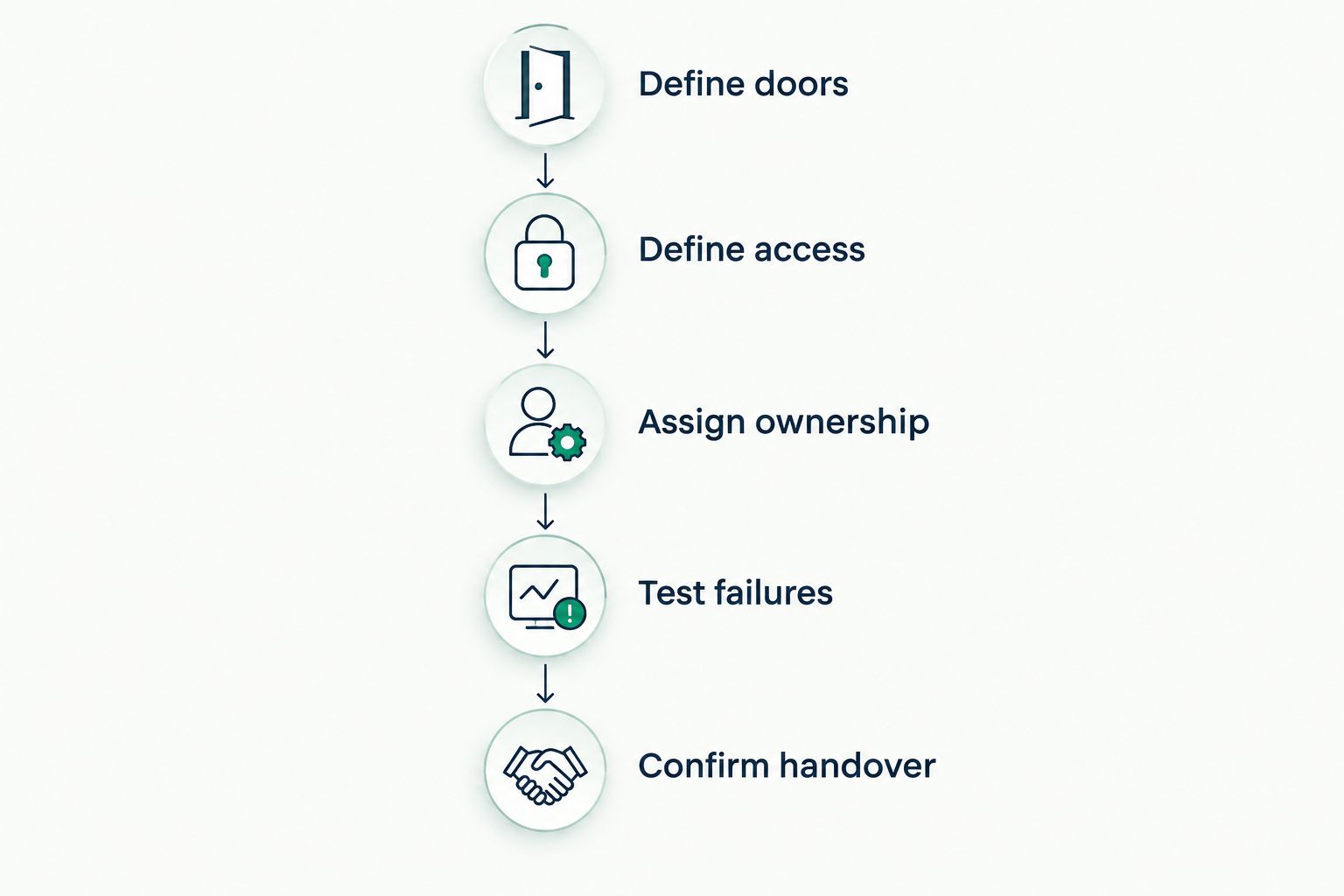
Agree on ownership and failure testing before you accept the installation.
Use this sequence as your 2026 procurement checklist. Attach the agreed requirements to the proposal so the final contract reflects the decisions made during sales discussions.
Discuss your IT support scope
Ask DivergeIT how managed IT, cybersecurity, and compliance support fit your access-system responsibilities.
What does ongoing access-control management include?
Ongoing access-control management includes only the responsibilities written into the agreement. Request explicit coverage for credential changes, administrator access, maintenance coordination, incident handling, and reporting rather than relying on the service name.
For each task, ask who initiates it, who authorizes it, who completes it, and what record remains. Employee departures deserve particular attention: removing a person's business account does not prove that every separate physical credential has also been disabled.
Have the provider distinguish remote assistance from physical attendance. A remote technician can investigate permissions or connectivity within an agreed scope, but that does not establish responsibility for repairing a door or replacing hardware.
Can wireless access controls support compliance requirements?
Wireless access controls can support physical access restrictions and access records, but installation alone does not establish compliance. Your requirements also need documented authorization, access reviews, removal procedures, and appropriate handling of system records.
For a 2026 compliance review, identify the specific requirement each control is intended to support. Ask your compliance owner to define record access and retention needs before configuration, rather than treating a vendor's standard settings as your policy.
DivergeIT provides compliance and cybersecurity services alongside managed IT. Keep any proposed compliance assistance distinct from a claim that an access-control installation automatically satisfies your organization's obligations.
Should the installer also manage your IT network?
The installer does not have to manage your IT network, but every network dependency needs an owner. A split arrangement works when the physical installer and IT team agree on configuration boundaries, support access, change approval, and escalation.
Require both parties to document the handoff before installation. If a connectivity change interrupts access-system management, your business needs a defined route to diagnosis and recovery—not competing statements that the other provider owns the problem.
FAQ
How much does wireless access-control installation cost in 2026?
Wireless access-control installation requires a site-specific quote covering the surveyed doors, hardware, installation, configuration, and acceptance work. Compare ongoing management separately so the installation total does not conceal continuing obligations.
What should I ask before signing an access-control proposal?
Ask for a door-by-door scope, shared equipment requirements, exclusions, acceptance tests, and named support owners. Require written clarification wherever the proposal relies on assumptions.
Does wireless access control mean no wiring is needed?
A wireless access-control description does not establish that every component needs no wiring. Ask the installer to identify power, communication, and supporting infrastructure requirements for the proposed design.
Are managed services included with installation?
Managed services are included only when the agreement explicitly includes them. Confirm credential administration, maintenance, support coverage, escalation, and physical attendance separately.
Who should remove access when an employee leaves?
Your agreement should name the person or provider responsible for disabling physical credentials after an authorized departure request. Do not assume removing a business account also removes access from a separate door system.
Can my IT provider handle a door that will not open?
Your IT provider can handle only the responsibilities included in its agreement. Establish who handles permissions, connectivity, physical hardware, and urgent on-site work before an incident occurs.
Does installing access controls make my business compliant?
Installing access controls does not establish compliance by itself. Map the system to specific requirements and document authorization, access review, removal, and record-handling procedures.
What happens if the system loses connectivity?
Connectivity-loss behavior depends on the proposed system and configuration. Require the installer to document and test that behavior, including its effect on entry, administration, and required emergency exit functions.
One last thing
Put an employee departure into the acceptance test. Have an authorized administrator remove a test user's access, then verify the result at the relevant opening and in the system records.
This checks more than the lock. It tests authorization, administration, communication, and evidence together—the operating process your business needs after the installation team leaves.